

CRM & Data
lynox includes a lightweight CRM and structured data store. Both are built automatically from your conversations and integrations — no manual data entry required.
Contacts
Section titled “Contacts”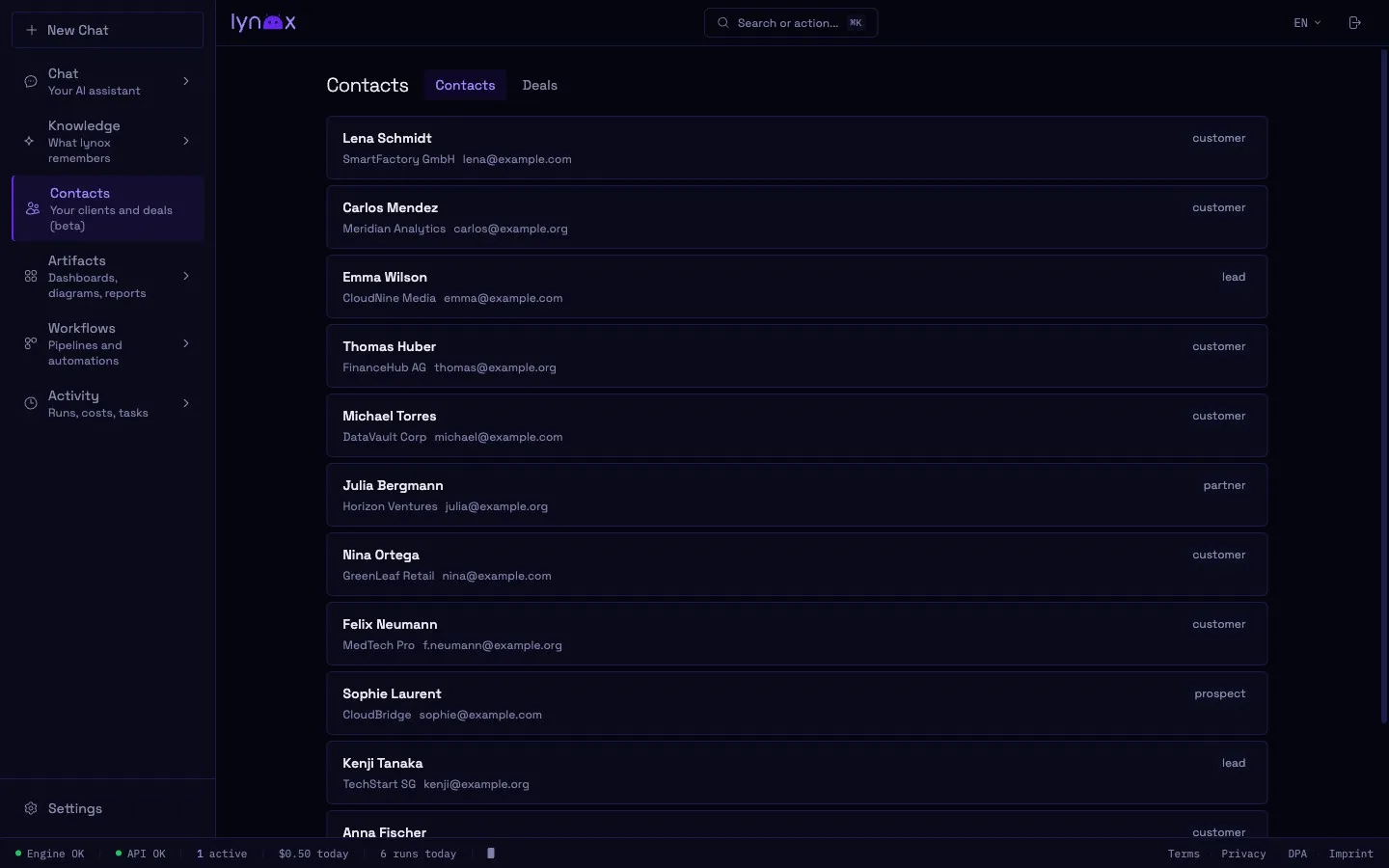
lynox tracks people and organizations you interact with. Contacts are created automatically when mentioned in conversations, emails, or calendar events.
Each contact stores:
- Name and type (person, company, etc.)
- Interaction history — when and how you communicated
- Related entities from the Knowledge Graph
- Notes and context from conversations
Browsing contacts
Section titled “Browsing contacts”Open the Contacts view in the Web UI to see your full contact database. Click any contact to see their details and interaction timeline.
Via chat
Section titled “Via chat”- “What do I know about [name]?”
- “When did I last talk to [contact]?”
- “Show me all contacts at [company]”
Track business opportunities and their progress:
- Deal name, value, and stage
- Associated contacts and companies
- Status history and next steps
Deals are created when you discuss business opportunities with lynox. You can also create them explicitly:
- “Create a deal: Website redesign for Acme Corp, 15k, proposal stage”
- “Move the Acme deal to negotiation”
- “What deals are in the pipeline?”
Data Store
Section titled “Data Store”The Data Store is a general-purpose structured storage system. It organizes data into collections — think of them as lightweight tables.
Use cases
Section titled “Use cases”- Expense tracking
- Project logs
- Inventory lists
- Any structured data lynox collects during tasks
Browsing data
Section titled “Browsing data”Access via the Web UI under Settings → Data, or via chat:
- “Show me the expenses collection”
- “Add an entry to the project log”
API Store
Section titled “API Store”lynox can connect to external REST APIs on your behalf. The API Store manages credentials and endpoint configurations.
Setting up an API
Section titled “Setting up an API”- Go to Settings → APIs in the Web UI
- Add a new API profile with:
- Base URL
- Authentication (API key, Bearer token, Basic auth)
- Default headers
Or let lynox set it up during a conversation:
- “Connect to the Stripe API” — lynox asks for the key through a secure, out-of-band prompt and stores it in the vault. Don’t paste a secret key into the chat itself: the chat input rejects anything that looks like a credential, precisely so a key never lands in your message history.
Using APIs
Section titled “Using APIs”Once configured, lynox can make authenticated requests:
- “Check my Stripe balance”
- “Query the weather API for Munich”
- “Get data from [any REST API you’ve connected]”
API credentials are stored in the encrypted vault.
CRM Stats
Section titled “CRM Stats”The Web UI shows aggregate CRM statistics:
- Total contacts and recent interactions
- Deal pipeline overview (by stage)
- Activity trends over time
Access via the Contacts view or the Insights dashboard.